Back to the
Sobject Crusade list.
Source:
AccountTag
You can tag CRM objects. To enable this feature go to
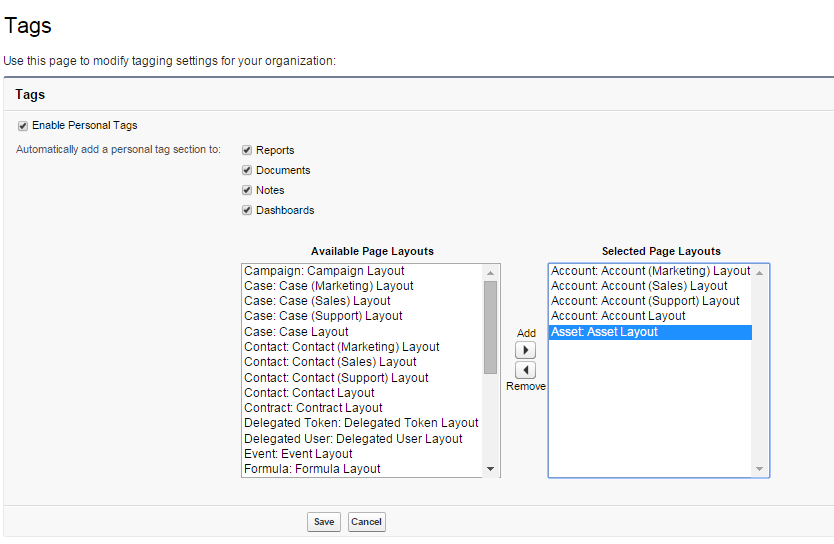
Setup > Customize > Tags > Tag Settings and click the
Enable Personal Tags feature:
You can select all the object layouts in which you want to use tagging.
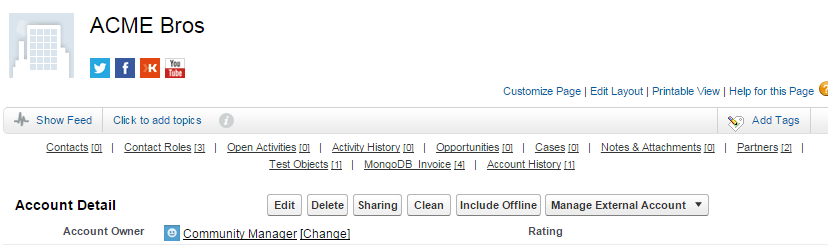
Now you can tag your account object:
Click on Add Tags:
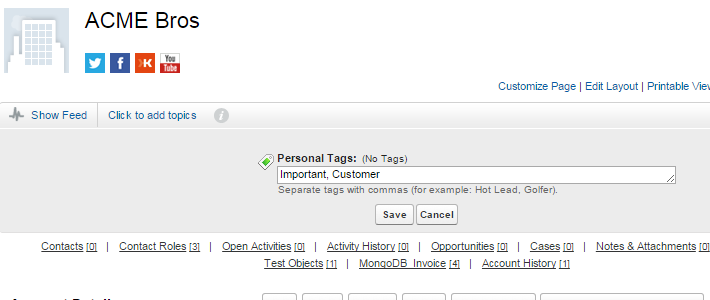
Click Save:
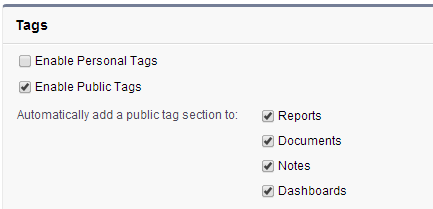
These are Personal Tags, but you can also add
Public Tags: to enable this feature, contact Salesforce support.
Once this is done you will have the
Tag Manager permission on the profile page, that allow to use public tags that can be used org wide:
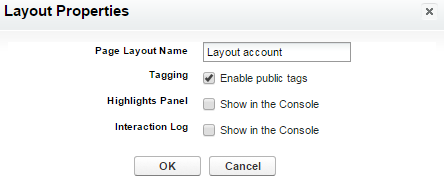
Once activated you can select the layout in which to enable Public Tags (edit layout and click on the
Layout Properties button):
You can add the tags as you did for the Personal ones:
Let's query the AccountTag object:
select id, Type, Name From AccountTag Where ItemId = '0010000000assQ5'
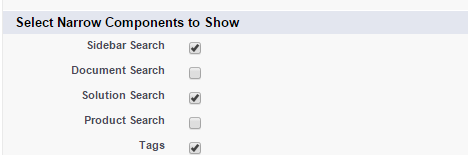
YOu can enable the sidebar component for the tag search by clicking on
Setup > Home > Home Page Layouts, edit your home page layout and select the
Tag component:
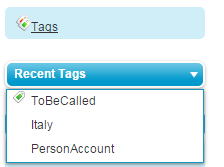
This components outputs as:
Click on the
Tag link of the sidebar component to browse tags: