Showing posts with label Sharing Rule. Show all posts

Monday, September 12, 2016

[Salesforce] The Sobject Crusade: AssetShare

Source: AssetShare

This object allow a user that has access to the record to share the Asset object directly to a User or a Group.

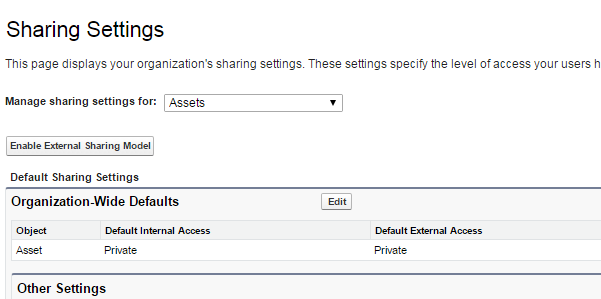
To create such object you have to change the Asset Sharing Settings to at least "Public Read Only" by clicking on Setp > Security Controls > Sharing Settings:

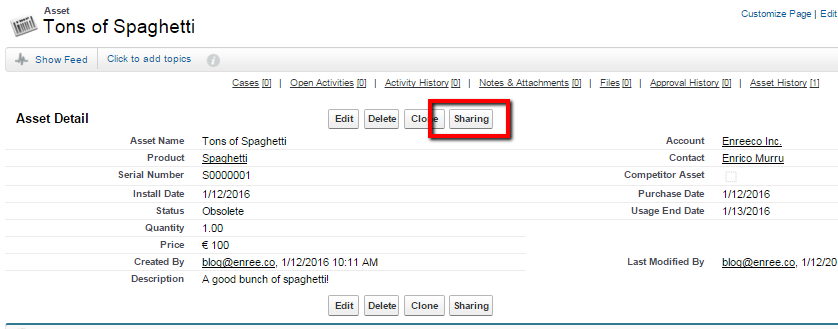
Now the Sharing button will compare on the Asset page layout (if you don't see it, add it with the layout editor):

This page shows all the users, groups, roles and territories that have access to the record.

Let's manually add a new manual share:


And this is the result (added a group and a user):
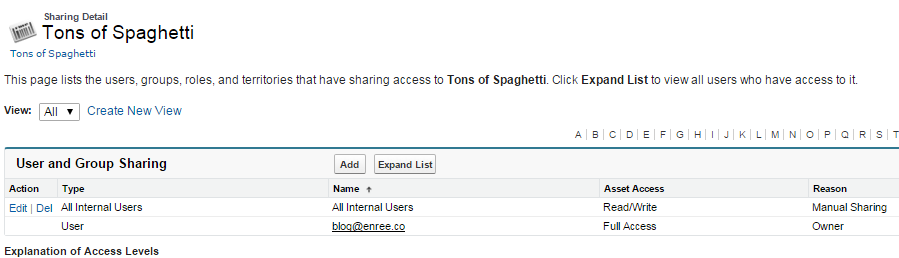

The Expand List shows the details of the users to whom the Asset is shared:


The SOQL to query the objects:

Select Id, Asset.Name, RowCause, UserOrGroup.Id, UserOrGroup.Name, UserOrGroup.Type, AssetAccessLevel from AssetShare

[Salesforce] The Sobject Crusade: AssetOwnerSharingRule

Source: AssetOwnerSharingRule

This object allows to manage the sharing rules for Asset object.

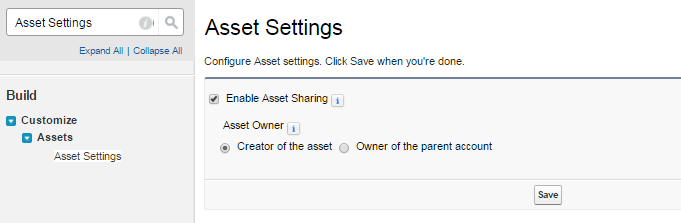
To enable sharing on the Asset object, go to Setup > Assets > Asset Settings:


Choose wether the Asset owner will be the object creator of the owner of the parent account.

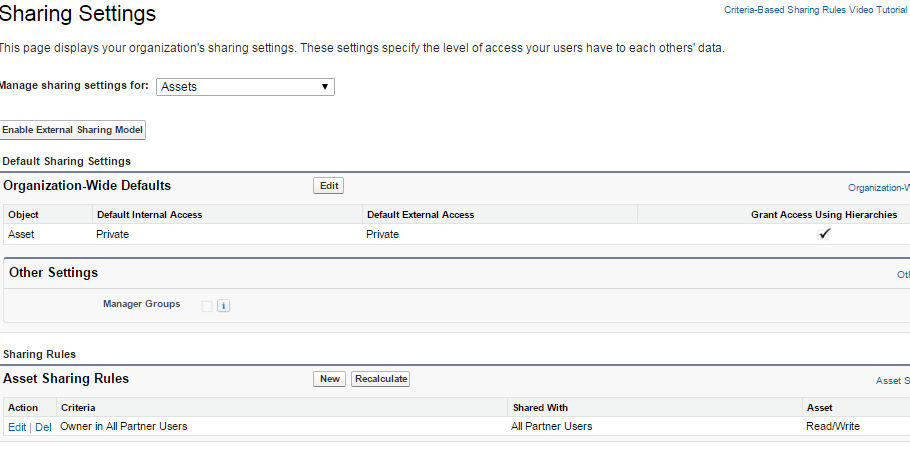
Now go to Setup > Security Controls > Sharing Settings, change the Asset OWG (Organization-Wide Default) from Controller by Parent to Private or Public Read Only.


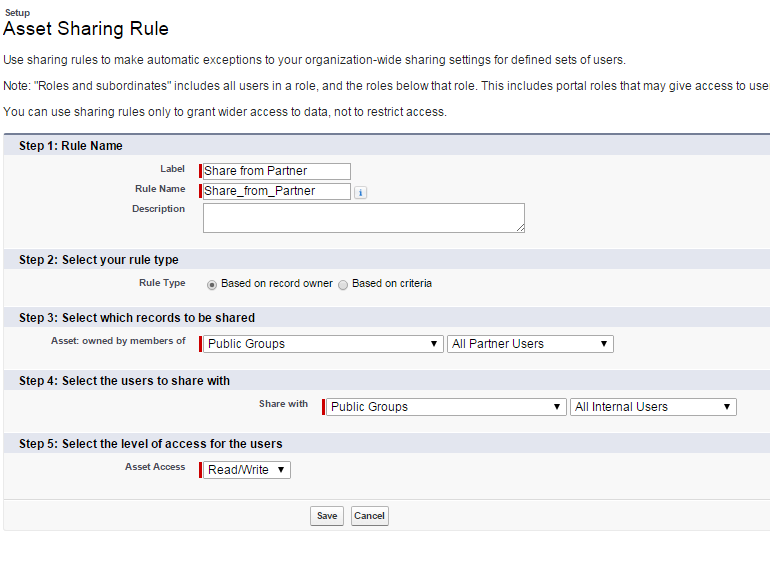
Click the New button on the Asset Sharing Rules to create a new owner based rule:


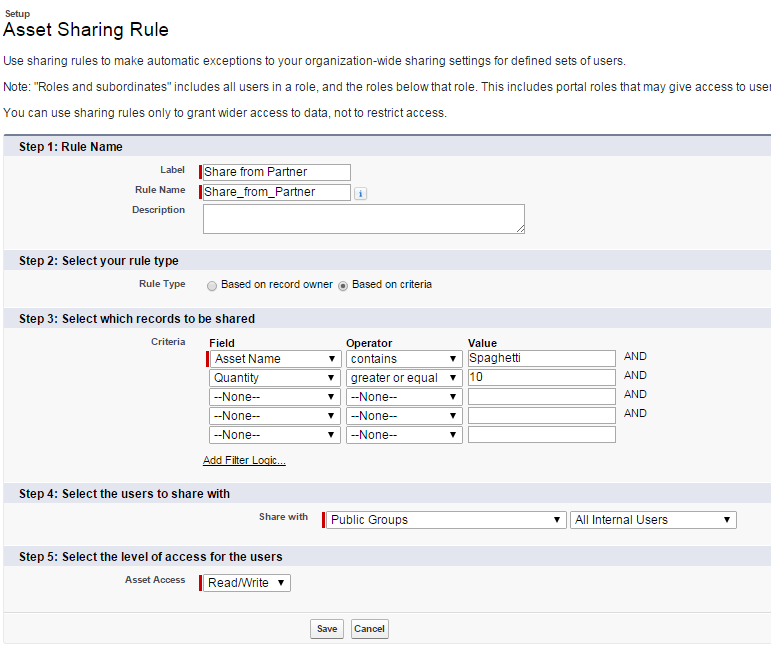
If you select a Rule Type of type Based on criteria you can also set Asset's fields criteria to decide which groups can share the record:


N.B. To enable access to this record, you have to contact Salesforce customer support.

Friday, April 15, 2016

[Salesforce] The Sobject Crusade: AccountTerritorySharingRule

Back to the Sobject Crusade list.

Source: AccountTerritorySharingRule

Represents the rules for sharing an Account within a Territory.

Unfortunately it is impossibile for me to show you how to use this object because I don't have a Salesforce ORG with the old Territory Management system, which allowed this kind of assignment rules.

For more details read the AccountTerritoryAssignmentRule blog post.

If you have an ORG with this kind of territory management enabled, feel free to write a simple guide on how this object work!

Tuesday, April 12, 2016

[Salesforce] The Sobject Crusade: AccountShare

Back to the Sobject Crusade list.

Source: AccountShare

This object allow a User that has access to the record to share the Account object directly to a User or a Group.

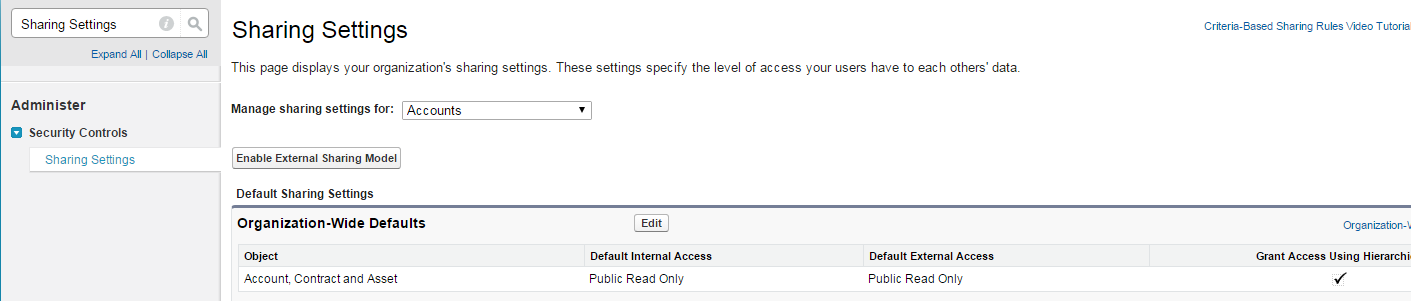
To create such object you have to change the Account Sharing Settings to at least "Public Read Only" by clicking on Setp > Security Controls > Sharing Settings:


Now the Sharin button will compare on the Account page layout if you don't see it, add it with the layout editor):


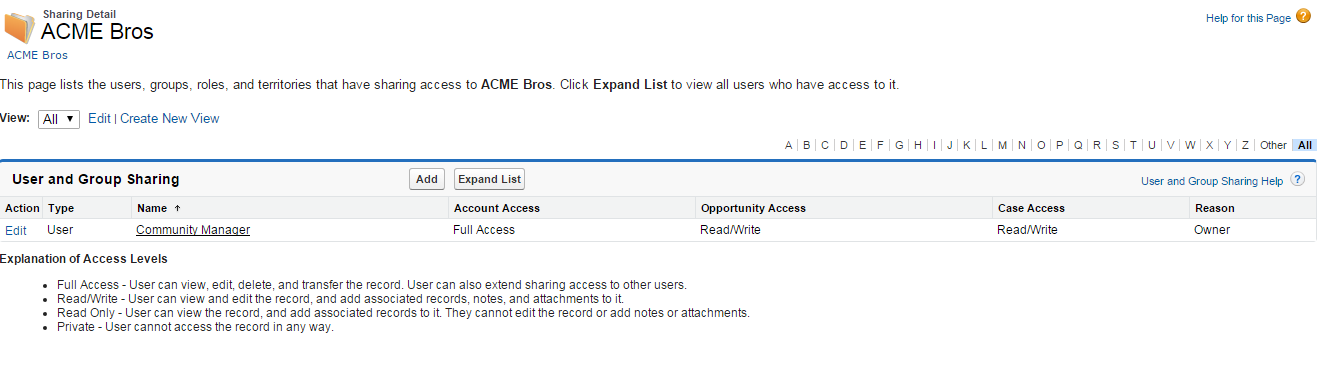
This page shows all the users, groups, roles and territories that have access to the record.

Let's manually add a new manual share:


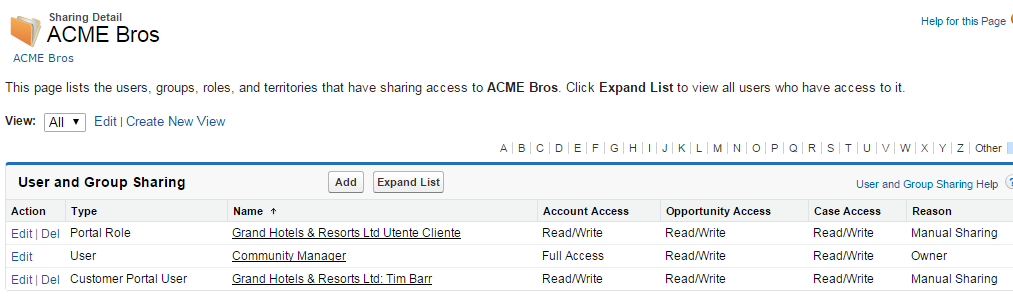
And this is the result (added a group and a user):


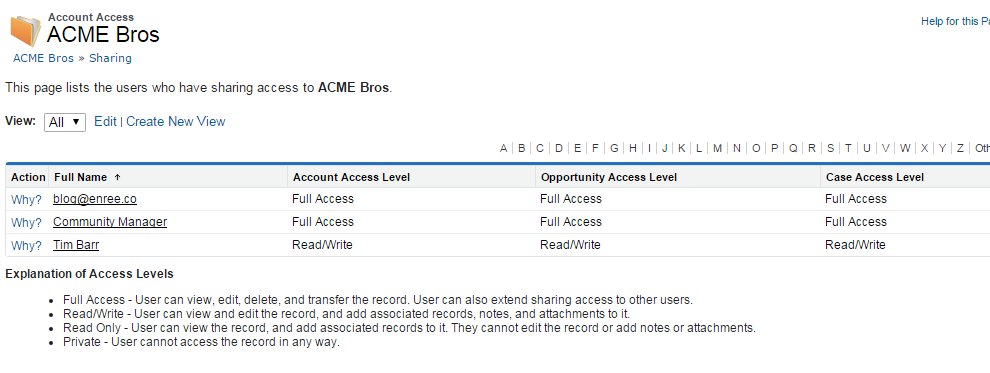
The Expand List shows the details of the users to whom the Account is shared:


The SOQL to query the objects:

Select Id, Account.Name, RowCause, UserOrGroup.Id, UserOrGroup.Name, UserOrGroup.Type, AccountAccessLevel from accountshare where accountid='00124000005FoHP'

Friday, April 8, 2016

[Salesforce] The Sobject Crusade: AccountOwnerSharingRule

Back to the Sobject Crusade list.

Source: AccountOwnerSharingRule


This object allows to manage the sharing rules for account, other than the owner.

When an Account is owned by a User who is related to the group referenced in the GroupId field, than the sharing rule applyes to the User or Group defined in the UserOrGroupId.

You can specify access levels to the Account object and to the main standard related objects: Case, Contact, Opportunity.

N.B. To enable access to this record, you have to contact Salesforce customer support.

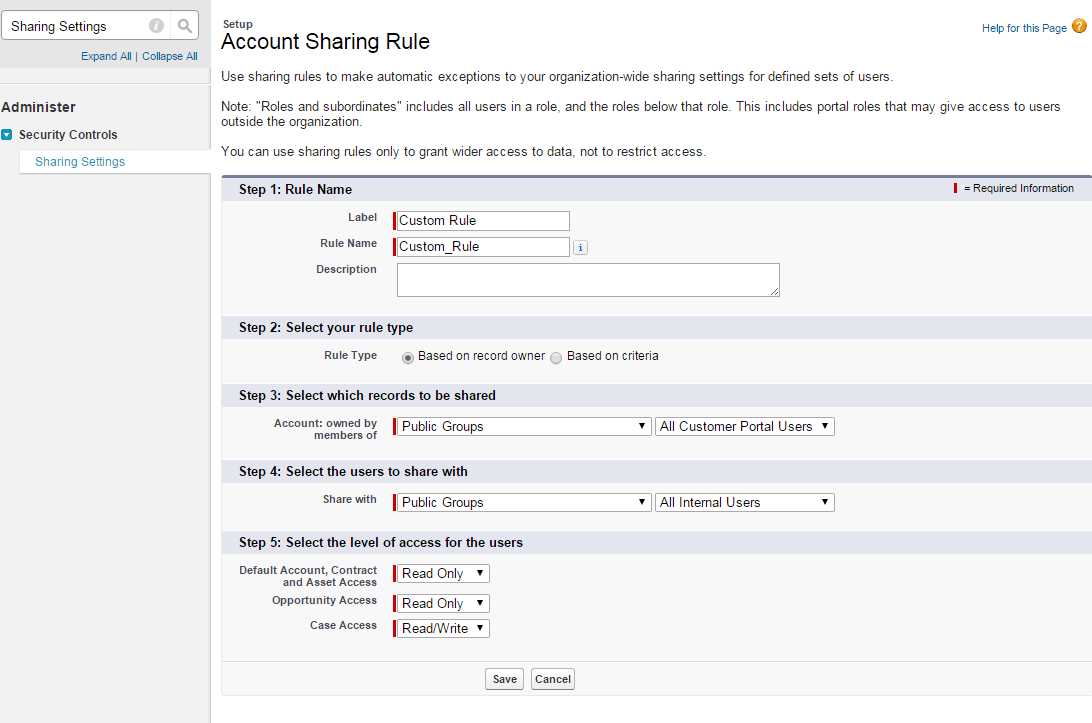
This object can be created via GUI in Setup > Security Controle > Sharing Settings:


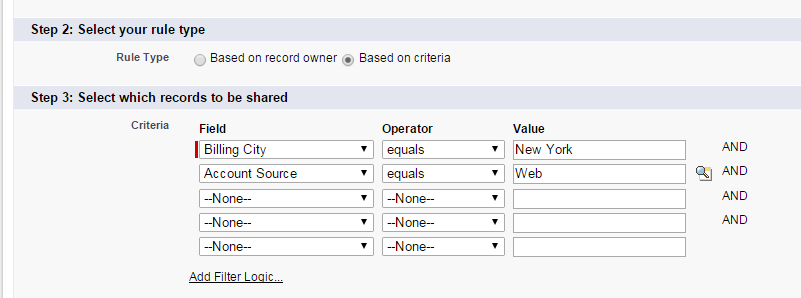
If you select, on step 2, a Rule Type of type Based on criteria you can also set Account's fields criteria to decide which groups can share the record:


This kind of configuration is not creatable using the AccountOwnerSharingRule object.